Turn more enquiries into members
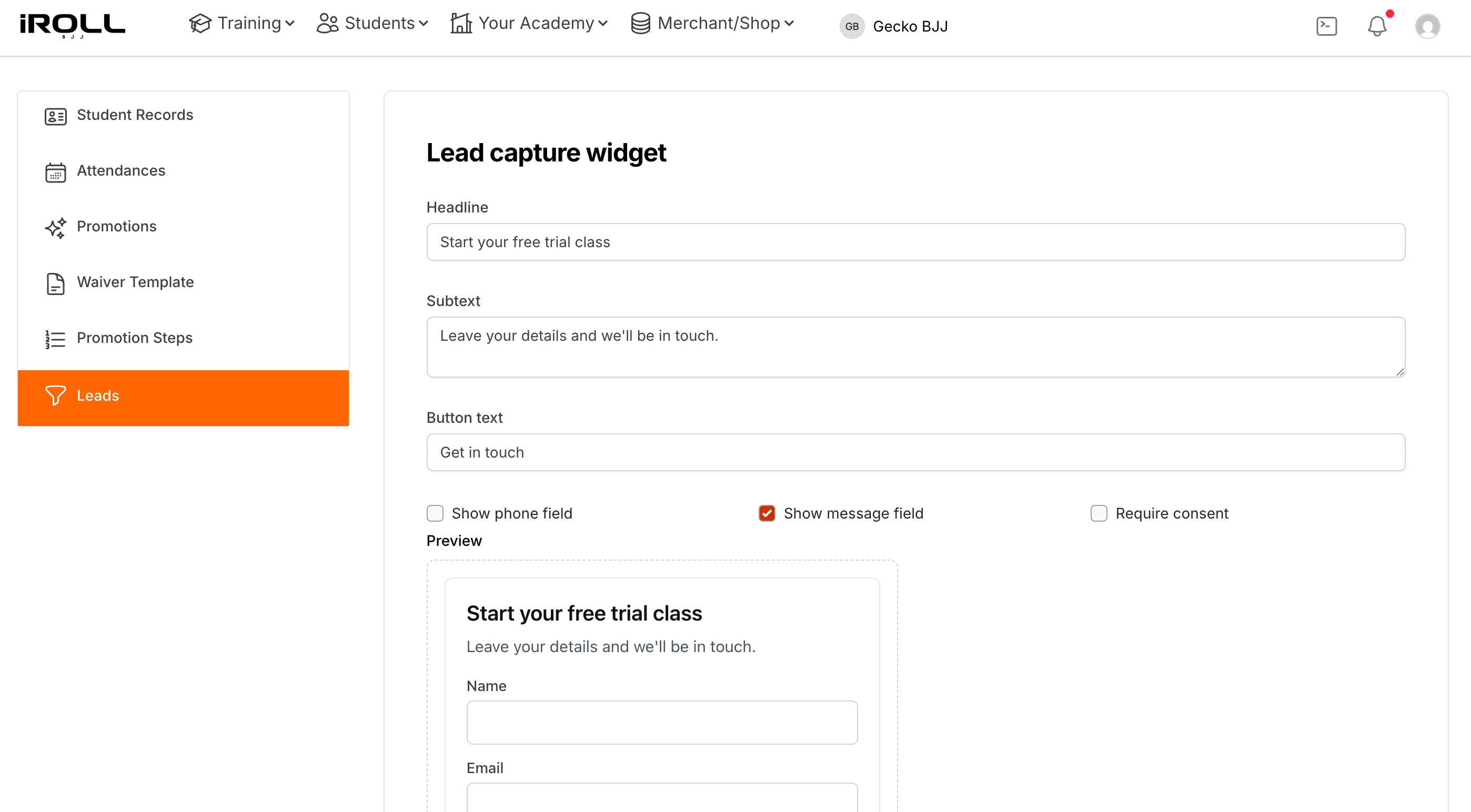
Capture prospective students from your website, respond quickly and keep every lead visible until they join, or tell you they are no longer interested.
Start your 14-day trial14-day trial · no card required
A missed follow-up can mean a missed long-term member
Prospective students often contact more than one academy. If an enquiry sits unnoticed in an inbox or is forgotten after the first message, they may never reach your mats. iRoll BJJ keeps new leads visible and notifies you when someone gets in touch.
How lead management works
-
1
Add the lead form to your academy website.
-
2
Receive an alert when someone enquires.
-
3
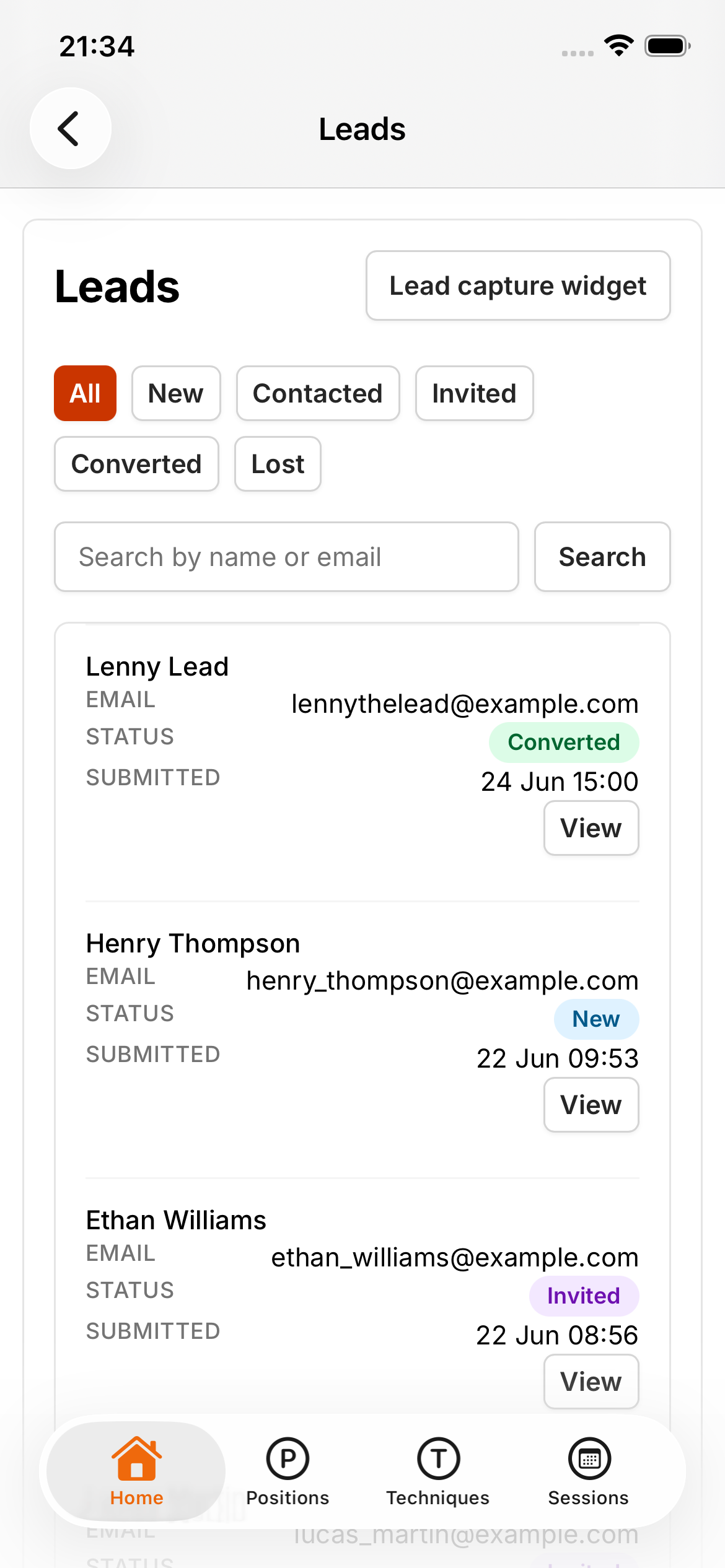
Track the prospective member's status.
-
4
Convert the lead into a member when they join.
What you get
- Capture enquiries from your academy website.
- Receive email and push notifications.
- Keep prospective members in one lead list.
- Track each lead through the joining process.
- Reduce enquiries being lost in personal inboxes.
- Connect new-member acquisition to the rest of the academy system.
Lead management FAQs
Yes. You can add the iRoll BJJ lead form to your existing academy website so enquiries flow into your lead list.
Yes. You receive email and push notifications when someone submits an enquiry, so you can follow up quickly.
Yes. When a prospective member joins, you can convert their lead into a member in the same system.
Made for how people find a BJJ academy
Many new students enquire with more than one gym before stepping on the mat. A short enquiry form on your website lets them reach out easily — you are notified straight away so you can respond while their interest is high, and when they join they become a member in the same system without starting over.
Works better together
Guides
-
How to Manage Leads and Enquiries for a BJJ Gym
A practical guide to keeping BJJ gym enquiries in one place, replying quickly and making sure interested students are not forgotten.
-
How to Turn BJJ Trial Students Into Paying Members
A practical guide to converting BJJ trial students into members — from enquiry and first class through follow-up, inviting them to join and signing up.