Opening a BJJ academy
By iRoll BJJ
When you first open your gym, your BJJ gym management software has to be simple to run and not swallow up the small amount of income you start receiving. You don’t want to pay for up to 50 or 100 students that you don’t yet have! The platform has to grow with you as your needs get more complex. More coaches. Someone to handle the admin. Private lessons. Visitor payments. Whatever else comes after that.
Some of the jobs that show up in the first few months.
- The training schedule will change. Editing the website by hand every time becomes a pain.
- Each class needs some planning. Beginners, advanced, and kids are not the same lesson. Another coach can’t teach from a plan that only lives in your head.
- Signing someone up shouldn’t mean three different tools. A form, a waiver, and taking payment belong in one simple automated flow.
- You’ll want a record of who trained. Check-in, attendance, and belt progress. A shop and private lessons can wait until you actually want them.
- You’ll be eager to give your new Students the best early experience. But of course they’ll feel overwhelmed with the details, just like we all were in the early days.
So how can we help you? Well, we’re glad you asked.
The schedule will keep changing
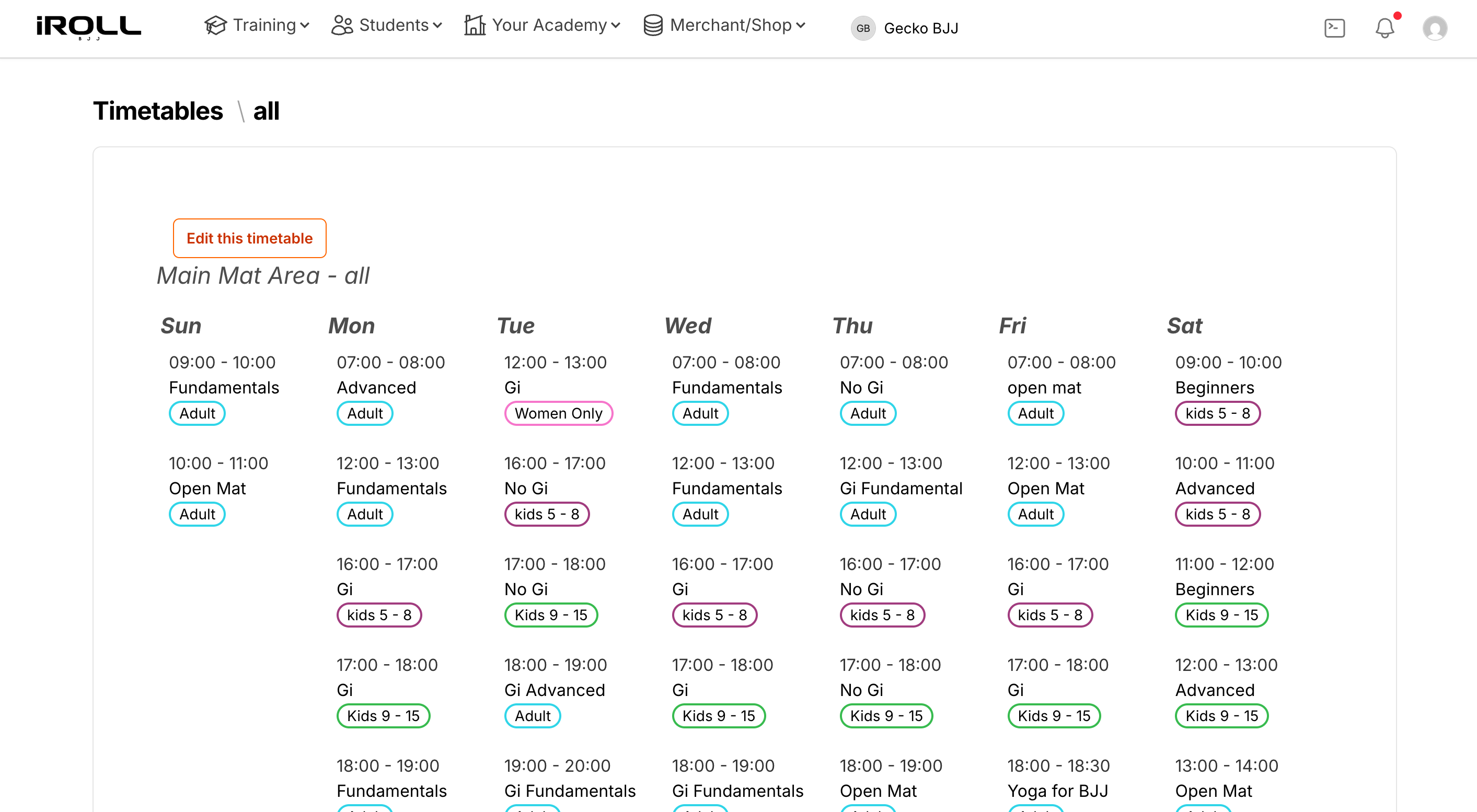
That’s a good problem. A new class, a time that isn’t working, a coach who can only do one night a week. If those times are typed into the website, every change is another edit. The page people see is only as current as the last time you got round to updating it.
Put the class schedule in one place. When you change it in one place, the timetable on your website updates, and so does the member app. People who already train with you can see what’s on today without having to ask, “is it Gi or No Gi tonight?”.
Lesson plans you can hand to another coach
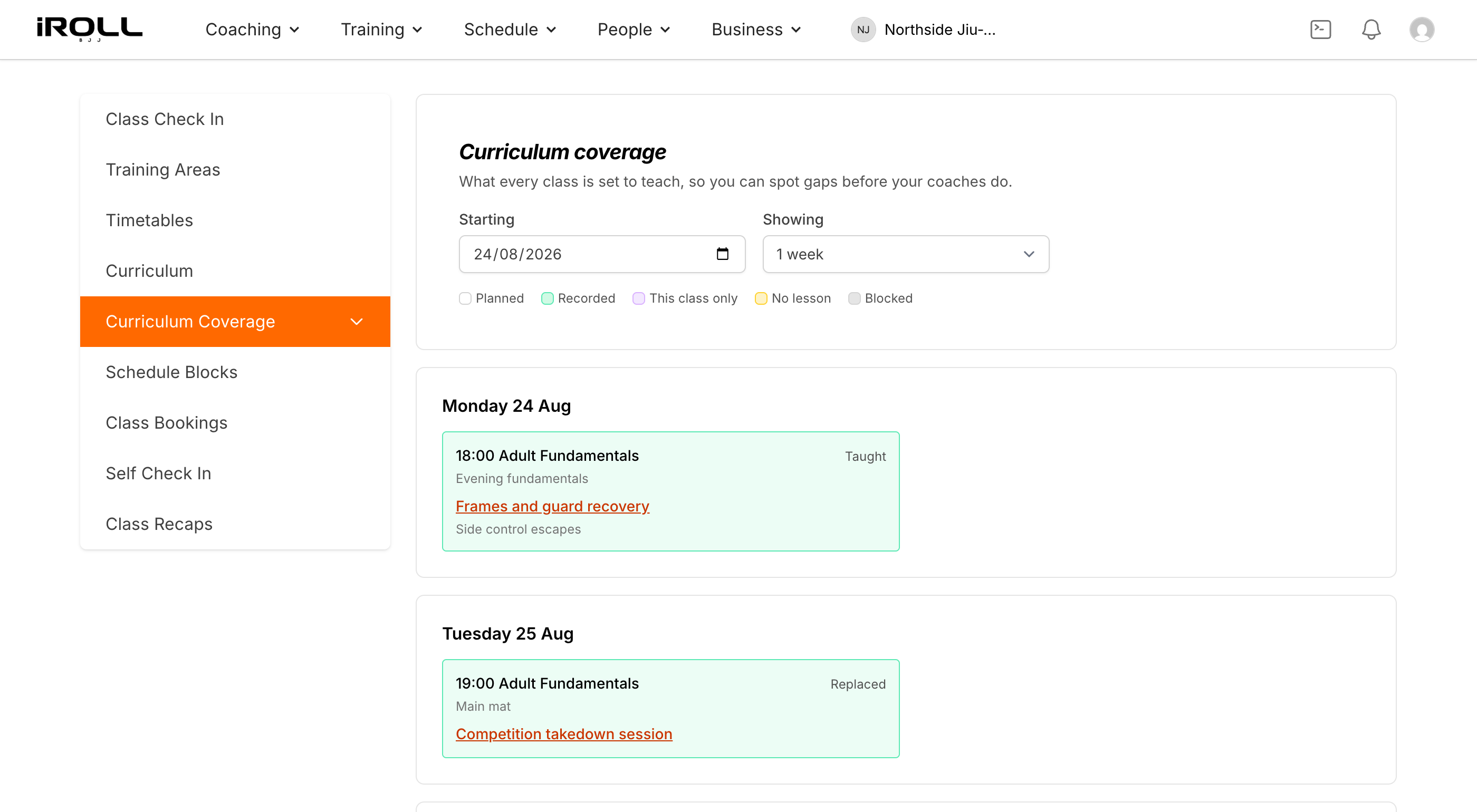
Write as much or as little as you like. A few notes is a good plan if you wrote it for yourself. A full breakdown is a good plan if you expect another coach to teach the class.
Keep a different curriculum for each kind of class you run. Beginners, advanced, kids, whatever is on the schedule. When another coach takes the session, they open the lesson plan. They don’t have to guess what you usually do.
Students forget what you taught
You already know this one. You spend a good hour teaching something specific. Next time, a lot of the room is hazy on it or have had their minds completely wiped by aliens!
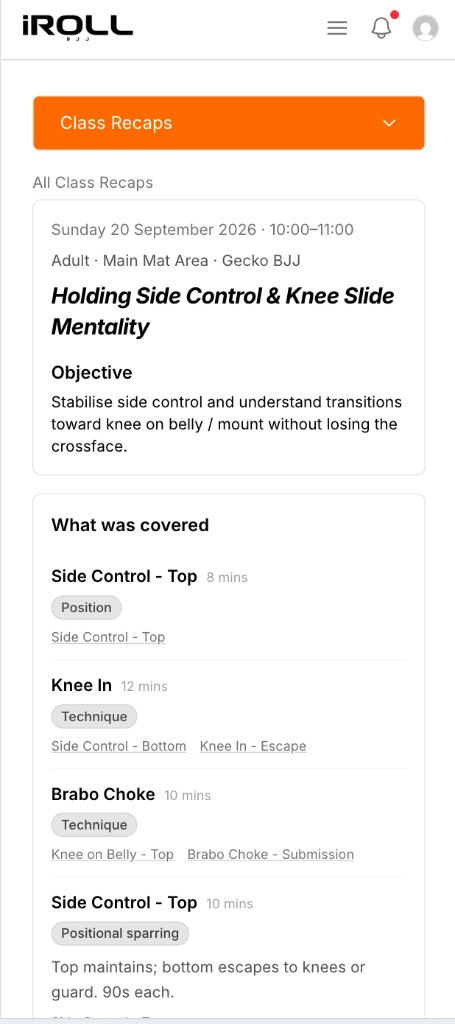
Automatic class recaps are there for that, if you want them. Once the class has been taught and attendance is taken, members open the app on iPhone or Android and see what that class covered with whatever details you want to leave them. The training tools in the app are included for all your members. They don’t pay for a separate training app.
When students start joining
You can sign a student up, have them accept a waiver, and take membership payments in one flow. If you want cards charged automatically, connect Stripe. The class schedule does not have to wait for any of that.
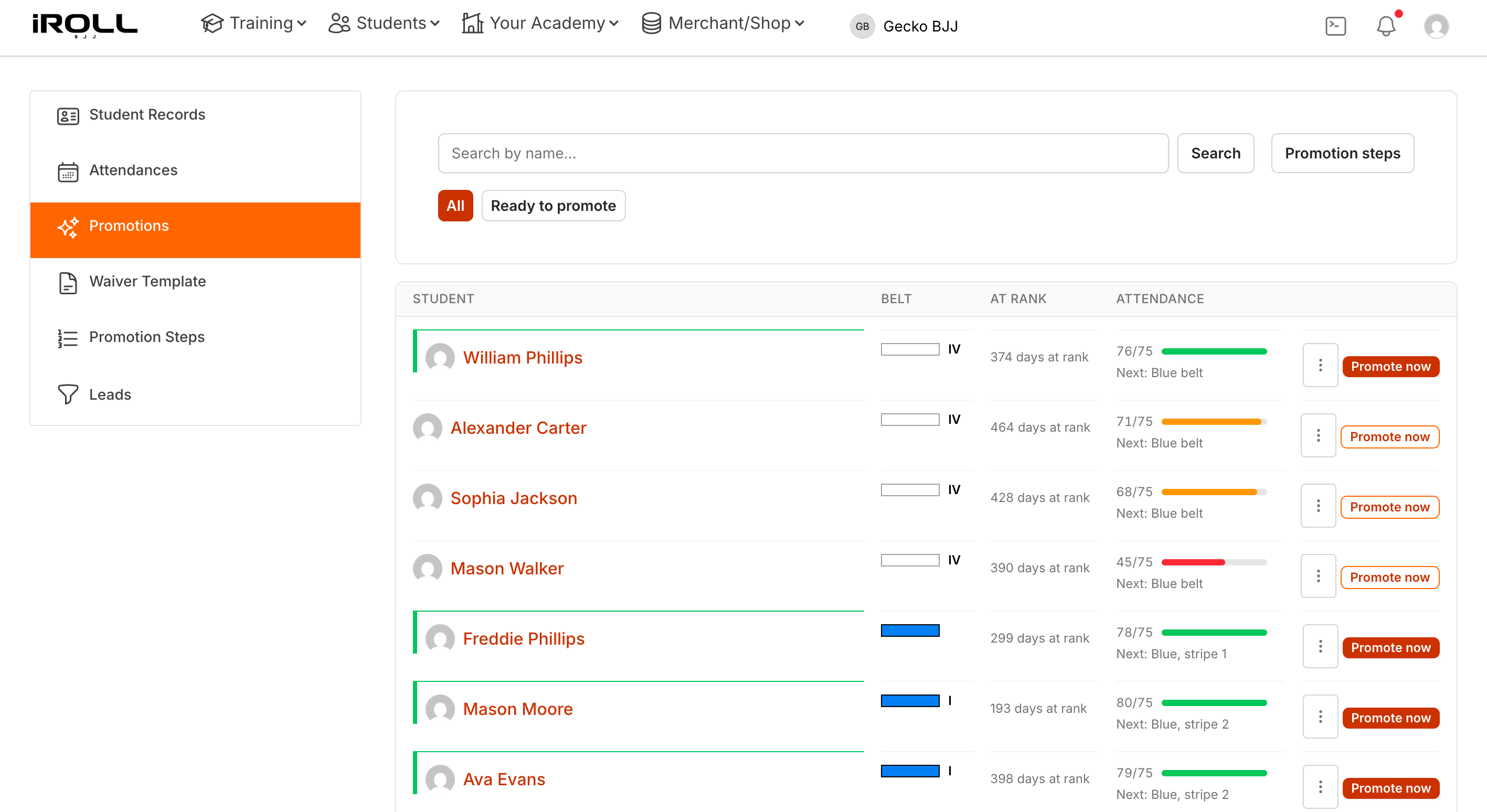
Check-in, attendance, and belt progressions are there for the day people are actually on the mat. If you later want a small shop, or a way to plan and book private lessons effortlessly, those live in the same place too when you enable them at no extra charge.
Start with a 14-day trial, no card required. After that it's $1.50 per active student on your roster a month.
If you want to set this up, get your schedule live before you open.